
(Mon-Sun) 24/7
317-288-5474Talk to us

October 2, 2026

Treating every employee device the same under a hardware as a service contract can quietly enforce company-wide uniformity. This makes security management easier, but it may also limit the flexibility some teams need and create lasting friction.
Hardware as a service works by trading individual control for consistency: a provider configures every device the same way so that support stays fast and security stays predictable, and in return, your teams live inside rules they didn't set.
That trade starts with the devices themselves. Every employee gets the same type of machine, running the same operating system, with the same settings baked in before it ever reaches their desk, and because the fleet is uniform, managing and securing it becomes far simpler on the provider's end.
Simplicity for IT, though, isn't free for everyone else. Teams that depend on unique tools or custom configurations can find themselves boxed into rules that weren't built with their work in mind, and the adjustment that follows tends to outlast the contract itself.
If hardware as a service is on the table for your business in Indiana, it's worth understanding this trade-off before you sign, not after.

When a business signs up for device as a service, the point is almost always to make IT simpler, and providers get there by shipping computers or tablets that are pre-configured so every unit matches the next. Because the fleet looks identical, tracking equipment and fixing problems both get quicker.
Uniform devices also make it possible to push updates and security patches to everyone at once, so there's less chance of one laptop quietly running outdated software while the rest of the company moves on. For an IT team, that consistency removes a steady source of surprises.
But the same consistency that helps IT changes what employees can do with their own machines. When every computer is set up identically, there's less room for personal tweaks or specialized software, and while that tightens security, it can also narrow what a team with different needs is able to do.
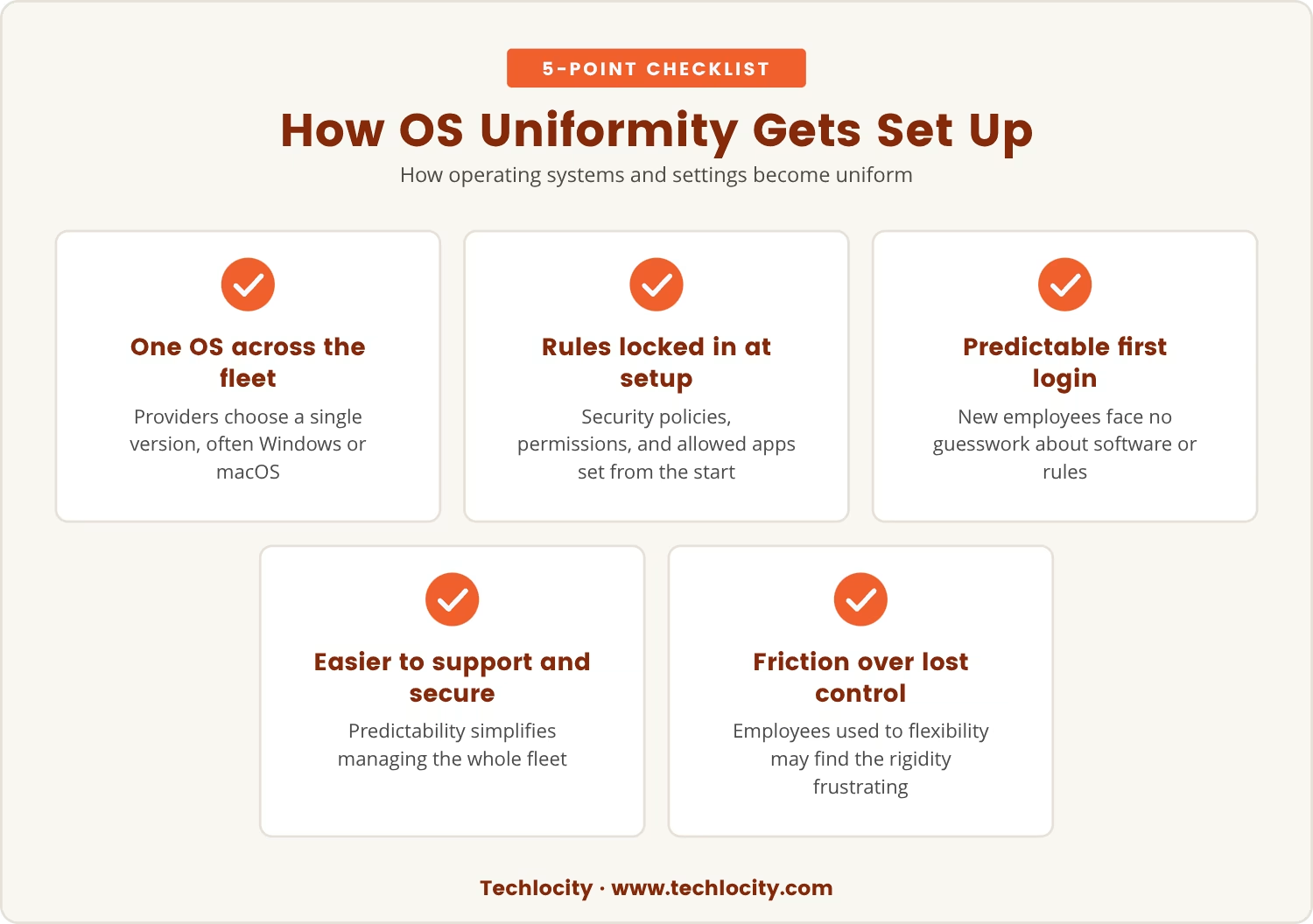
Standardizing a fleet starts with the operating system: providers pick one version, often Windows or macOS, and install it across every device. Security policies, user permissions, and the list of allowed applications get locked in during that same setup.
As a result, an employee's first login already follows the company's rules, with no guessing about what's permitted or which software version belongs on the machine. That predictability is exactly what makes the fleet easier to support and secure.
Yet that same predictability means a team needing a different operating system or a custom configuration usually has to ask for an exception, and some of those requests get turned down simply to keep the setup manageable. Over time, employees used to more control over their tools can find that friction wearing.
Companies across Indiana often turn to hardware as a service hoping to make technology management less of a headache, since the promise is that the provider handles device setup and ongoing support end to end.
Treating every device the same way delivers on part of that promise: less time spent chasing odd issues or missing updates, and security that's easier to manage because every machine follows the same rules.
Still, the same uniformity that simplifies IT can complicate teams that run on unique software or workflows, and the push toward a single standard sometimes means trading away the flexibility that made those teams effective in the first place. Before you commit, it's worth asking which of your teams depend on custom setups and how they'd adjust to a more standardized environment.
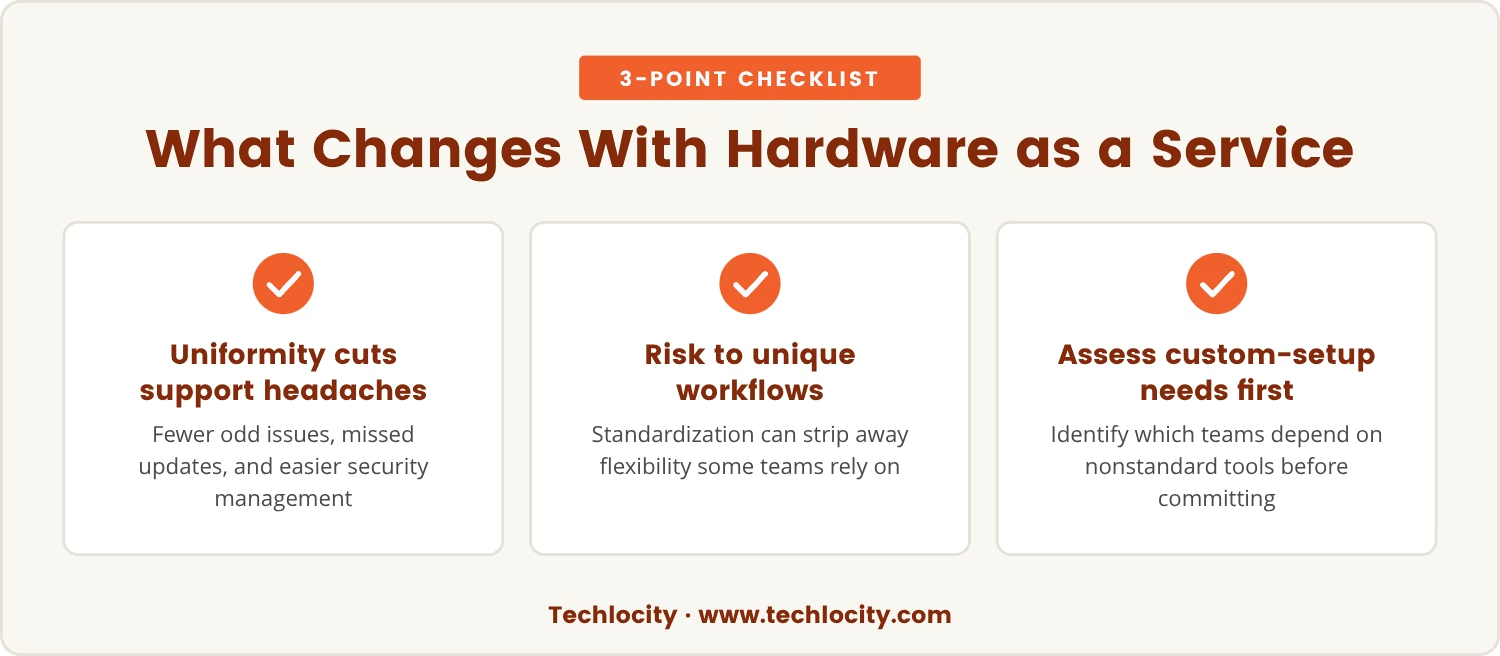
Having every device look and behave the same seems like an unambiguous win at first, but for some teams that sameness creates friction that doesn't surface until months into the contract.
A marketing group might need design software outside the standard build, while engineers may rely on tools that call for special permissions or settings the fleet wasn't configured to allow. When those needs go unmet, productivity slips and frustration builds quietly in the background.
That's where the planning and review cadence built into a well-run engagement earns its keep: regular check-ins give IT and the business a structured place to raise exceptions before they turn into workarounds, rather than leaving teams to absorb the friction on their own.
Some roles simply can't do their jobs well without the right tools and settings. A few examples make the pattern obvious:
We stay out of ERP systems and other line-of-business applications entirely, and that boundary holds no matter which plan a client is on. Staying at the infrastructure layer is exactly what lets us support almost any industry without pretending to know software that isn't ours to run, and it's that same discipline that keeps the standard build from turning into a patchwork we can't maintain.
Before agreeing to a hardware-as-a-service plan, it helps to look past the basics and into how the day-to-day will actually work.
A little planning here tends to save a lot of frustration later.
Uniform settings reduce exposure simply because there's less variation for a problem to hide in; when every machine follows the same configuration, it's easier to spot what's wrong and close it off before it spreads. That's roughly why keeping devices identical is table stakes in this business when security is the priority.
But security shouldn't come at the cost of making teams less effective, so the better approach is to work with your provider to figure out which teams genuinely need custom setups and which can run on the standard build. Clear guidelines for when exceptions are allowed, paired with a process that doesn't stall important work, let you hold both goals at once.
Once a hardware-as-a-service contract is running, the effects of standardization don't fade after onboarding - they shape how teams work for as long as the agreement lasts. Some teams adjust quickly; others keep bumping against the same limits years later.
That ongoing friction eventually shows up in culture and output, not just in IT tickets. Employees who feel boxed in by their devices tend to look for workarounds or disengage, while a fleet that's well-balanced between standardization and customization generally means less recurring support load and fewer one-off fixes for IT to carry indefinitely.
If growth or a change in direction is somewhere on your horizon, it's worth weighing how today's device decisions might narrow or widen your options later.

If your business has 25 to 150 employees, you know how challenging it can be to balance security with the unique needs of different teams. At Techlocity, we see how device standardization can help, but we also understand the risks of losing flexibility.
We invite you to talk with us about how your teams work and what they need from their devices. Let’s look together at how Techlocity can help you keep things secure while still supporting the custom setups that matter most.
Try our hardware standardization approach risk-free for 90 days and see how it fits your team’s needs before making a long-term commitment.
Instead of a large upfront purchase, you pay a monthly fee to use devices the provider owns, configures, and keeps current. Setup, support, and upgrades sit with the provider, freeing your own IT staff for other work.
Most providers standardize on a single operating system across the fleet to keep things simple and secure, though some will consider exceptions for a strong business case. Raising those needs before you sign is the surest way to get them addressed.
Adding software after devices are already deployed is harder once a standardized build is locked in, though many providers do offer a request-and-approval process for new applications. Flagging likely needs during setup makes that path far smoother.
Most hardware-as-a-service agreements are built to avoid high upfront costs, replacing them with a recurring fee that covers the device, support, and maintenance together. It's still worth checking the contract for any setup fees before signing.
Weigh flexibility for customization, how quickly support requests get answered, and how updates are rolled out and managed. It's also worth asking directly how a provider handles exceptions and whether they've supported businesses of your size and industry before.
_DSC9958%20(1).webp)
